


Mobile data security is no longer optional. It’s a combination of smart user behaviour, strong technical controls, and clear organisational policies designed to stop data theft, phishing attacks, malware, and device loss. By following best-practice measures, Australians can better protect their devices, data and digital privacy.
From online banking and shopping to emails, work apps and social media, our devices store an enormous amount of personal and professional information. With this convenience comes risk mobile devices are one of the most common targets for cybercriminals in Australia.
What Is Mobile Data Security?
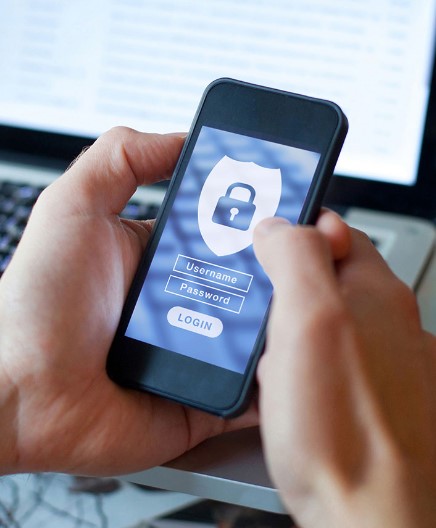
Mobile data security refers to the strategies, tools, and behaviours used to protect personal and business information stored on or transmitted from mobile devices. These measures defend against threats such as:
- Malware and viruses
- Phishing and smishing attempts
- Unsecured public Wi-Fi
- Data interception
- Device theft or loss
- Unauthorised access
Strong security ensures your data stays private, safe, and accessible only to you.
Core Mobile Security Principles
Use Strong Authentication
Passwords remain your first line of defence. Create unique, complex passcodes or passphrases that aren’t easy to guess. Where possible, enable biometric authentication such as fingerprint or facial recognition for an additional layer of protection.
For accounts containing sensitive information like banking, email or government services activate multi-factor authentication (MFA). MFA can stop more than 99% of account hacks, making it one of the best defences against unauthorised access.
Enable Data Encryption
Most modern devices automatically encrypt stored data when a secure screen lock is set. Encryption ensures that even if a criminal steals your phone, they won’t be able to access your information.
You can check encryption settings under your device’s security menu to make sure it’s turned on.
Keep Software and Apps Updated
Outdated software is one of the biggest security risks. Cybercriminals often exploit known vulnerabilities in older operating systems and apps. Installing updates promptly ensures you receive important security patches and improvements.
Where possible, enable automatic updates for seamless protection.
Use Secure Wi-Fi or a VPN
Public Wi-Fi networks such as at airports, cafés, hotels or shopping centres are convenient but risky. Hackers can intercept unencrypted data on these networks, including login details and personal information.
To stay safe:
- Avoid accessing sensitive accounts over public Wi-Fi.
- Use mobile data or a trusted hotspot instead.
- When using public Wi-Fi is unavoidable, protect your connection with a reliable Virtual Private Network (VPN).
Device & Account Security
Strong Screen Locks and Auto-Lock
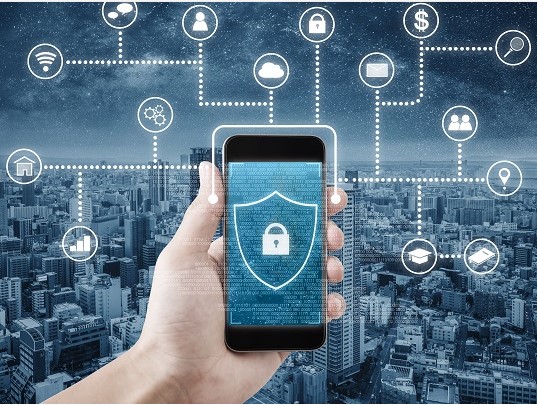
Always use a strong passcode and set your device to automatically lock after short inactivity (ideally under five minutes). This reduces the chances of anyone snooping if you misplace your phone.
Enable Remote Locate, Lock, and Wipe
Features like Find My iPhone and Find My Device allow you to:
- Track your phone’s location
- Lock your device remotely
- Erase all data if the phone is stolen
These tools offer peace of mind and ensure your information remains safe, even if the device is lost.
Install Trusted Security Software
Antivirus and anti-malware apps can detect suspicious activity, block malicious files, and provide additional layers of protection. While Apple devices have built-in safeguards, Android devices particularly benefit from reputable security software.
App & Network Security
Download Apps Only from Trusted Sources
Never install apps from unknown third-party websites. Stick to the Apple App Store and Google Play Store, where apps undergo security checks before being published.
Review and Manage App Permissions
Apps often request access to sensitive information like your location, contacts, photos or microphone. Some permissions are necessary but many aren’t. Regularly review and revoke permissions that seem excessive or unrelated to the app’s purpose.
Avoid Public Wi-Fi for Sensitive Tasks
Public Wi-Fi can be easily compromised. Avoid using it for banking, shopping, work emails or logins. If you must use it, always enable a VPN.
Disable Connectivity Technologies You Don’t Need
Keep Bluetooth, Wi-Fi, NFC and AirDrop off when not in use. This reduces the risk of unauthorised connections and keeps your device more secure and power-efficient.
User Awareness & Best Practices
Stay Alert to Phishing and Scams
Australians are frequently targeted by phishing, smishing (SMS phishing) and scam calls. Warning signs include:
- Unsolicited messages asking for personal information
- Urgent requests to click links or download attachments
- Messages claiming to be from the ATO, banks, or delivery services
Always verify the sender before responding.
Avoid Public Charging Stations
Public USB charging ports may be compromised and used for “juice jacking” a technique that installs malware on your device. Use your own charger, power bank or a wall outlet.
Back Up Your Data Regularly
Whether your device is lost, damaged or compromised, regular backups ensure your photos, messages and documents can be restored quickly. Use a secure cloud service or an encrypted external drive.
Think Before You Share
Social media posts can unintentionally expose personal details such as your location, routine or identity information. Adjust privacy settings and avoid posting sensitive content.
Mobile Data Security for Businesses
Create Clear Mobile Security Policies
Organisations using mobile devices especially in BYOD (Bring Your Own Device) environments should implement clear policies outlining:
- Password standards
- App usage rules
- Data access protocols
- Device storage and encryption requirements
Provide Staff Cybersecurity Training
Human error is the leading cause of data breaches. Regular training helps staff recognise phishing attempts, suspicious apps, and unsafe Wi-Fi networks.
Implement Mobile Device Management (MDM)
MDM solutions allow businesses to:
- Enforce security settings
- Restrict unauthorised apps
- Push updates
- Remotely lock or wipe devices
This ensures consistent protection across all employee devices.
Use Role-Based Access Controls
Limit data access to what employees need for their role. This prevents unauthorised access and reduces the impact of compromised accounts.
Conclusion
Mobile data security is essential for protecting personal and business information in an increasingly digital world. By following strong authentication methods, enabling encryption, keeping devices updated, using safe networks, and practising smart digital habits, Australians can significantly reduce their risk of cyber threats.
Whether you’re an everyday mobile user or part of an organisation managing multiple devices, prioritising mobile security ensures your data stays safe, private and fully protected.
Call us on 1300 832 639 or simply search “Exceed ICT” on Google Maps to find a location near you and connect with our team today.
We also provide
Telecoms Expense Management, Device Deployment, Fleet management, Telstra enterprise Mobility, Telstra mobility Managed Services.
Improve Business Core values, Business Consulting, Network Management, Telstra Expense Management and many more Services.